Retire the sign-in sheet.
Staff clock in and out on your restaurant tablet with a 4-digit PIN and their face. Lateness, penalties and overtime follow each person's own rules, and the monthly report is ready when you are.

Paper timesheets cost you every month.
Self-reported times
People write their own arrival time. Five minutes late becomes on time.
Buddy punching
One person arrives early and signs a friend in too. Paper never notices.
Month-end maths
Hours, late minutes and overtime added up by hand, with mistakes and arguments.
One tablet. One panel. Done.
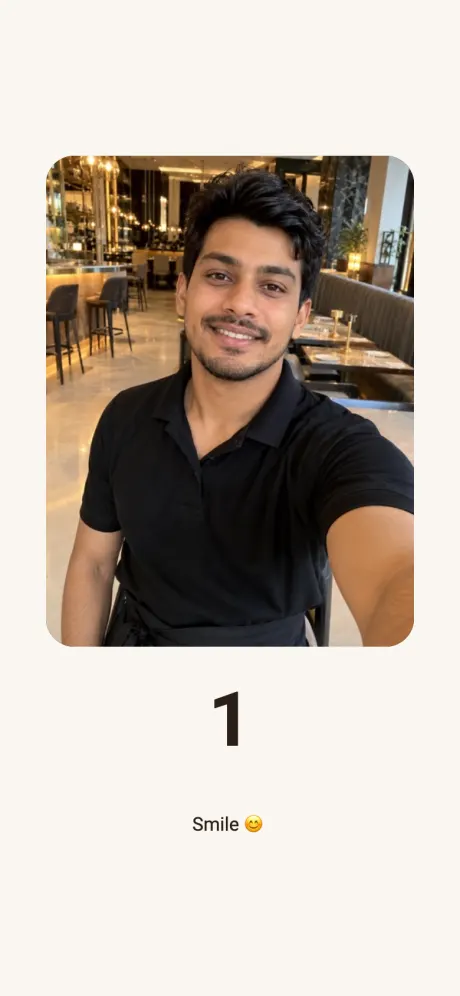
Face recognition
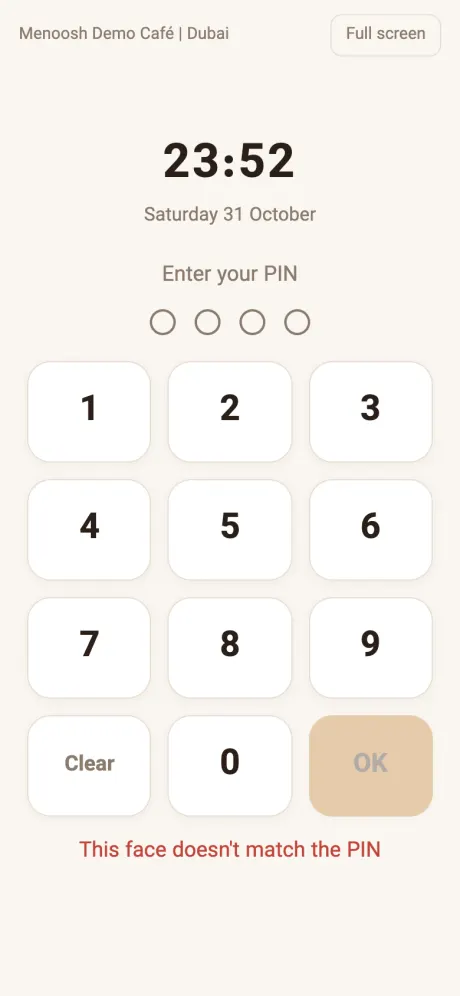
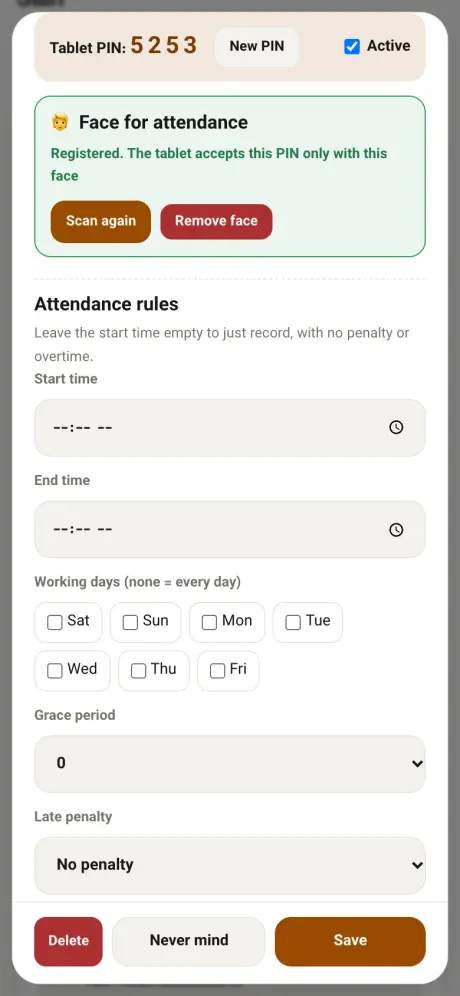
A valid PIN with the wrong face is turned away.
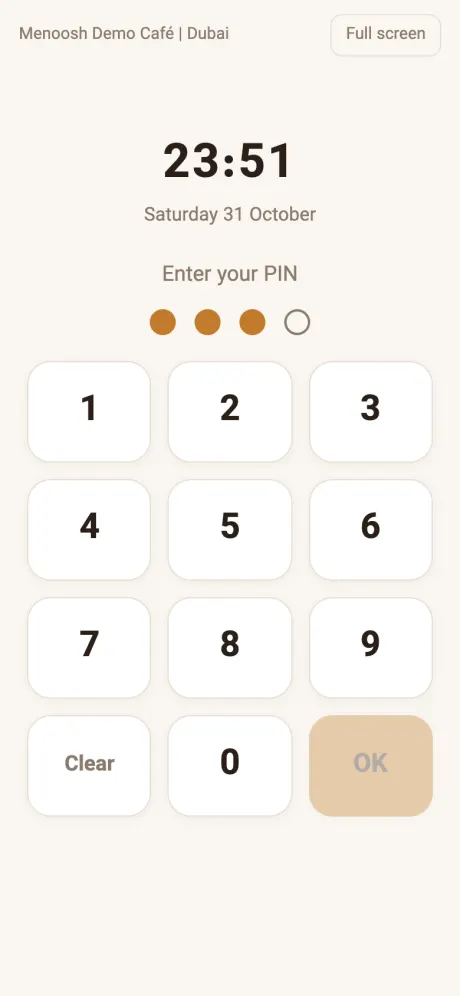
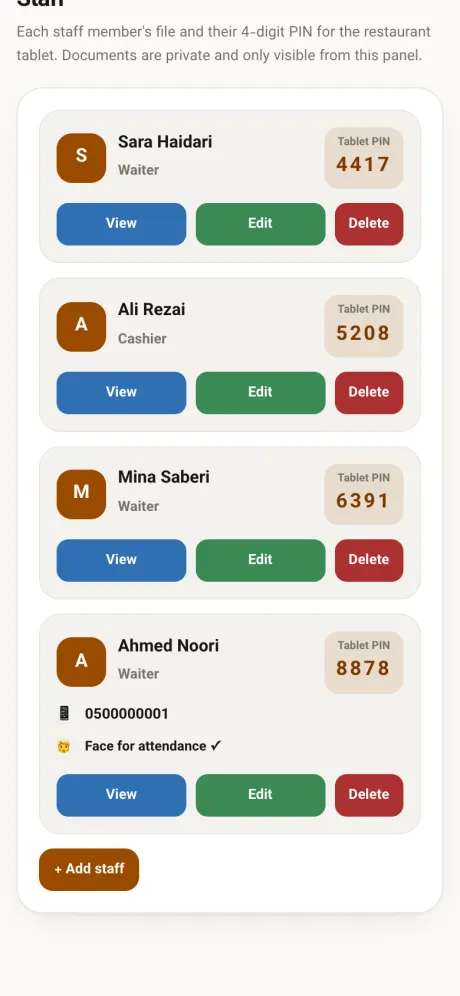
4-digit PIN
No cards, no fingerprint reader. The tablet never shows a name.
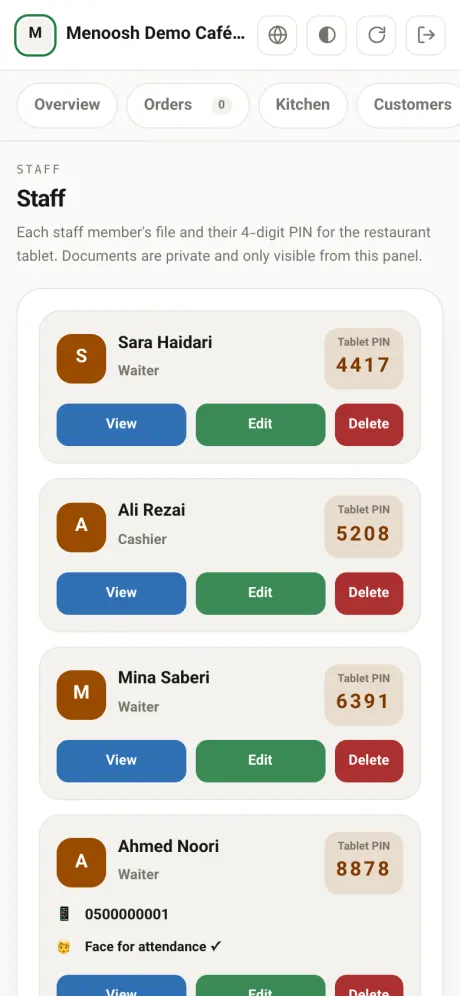
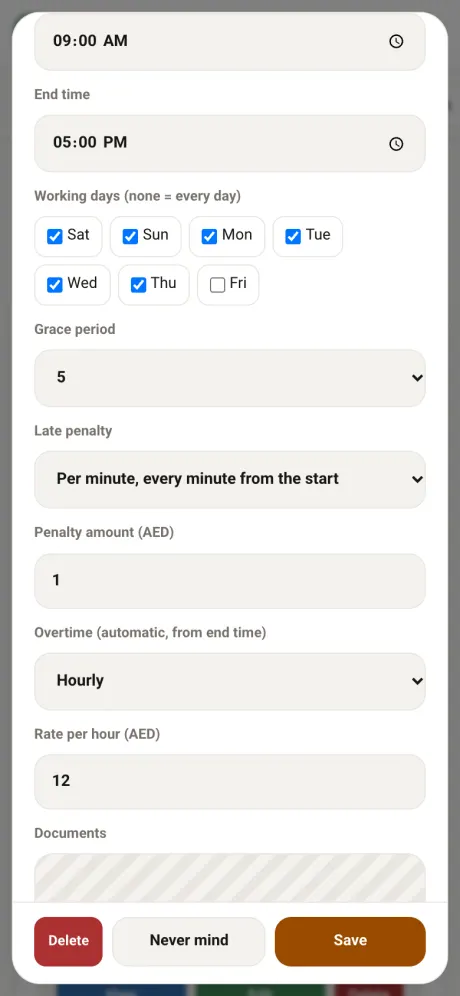
Rules per person
Hours, days, grace period and penalties set for each staff member.
Automatic overtime
Every minute past their end time, at your rate. No requests to approve.
Monthly report
Days worked, penalties, overtime and net amount for everyone.
Clock in within five seconds.
Leave the tablet open by the door once. Your team does the rest.
A PIN can be shared. A face can't.
- Every PIN is matched to a face. The tablet compares the face with the one registered for that PIN.
- One face, one profile. Nobody can clock in for two people with two PINs.
- Each record keeps its selfie, visible only to managers in the panel.
Every team member, their own rules.
- Hours and working days Morning, evening or late-night shifts, set on each person's profile.
- Split shifts Lunch and dinner, for example. Each shift has its own clock-in and clock-out, and the day counts both together.
- Grace period Anywhere from zero to 30 minutes. Strict for some, relaxed for others.
- Late penalty None, per minute from the start, only after the grace period, or a fixed amount.
- Overtime Counted automatically at your hourly rate, by the minute or in full hours only.
Payroll prep without a calculator.
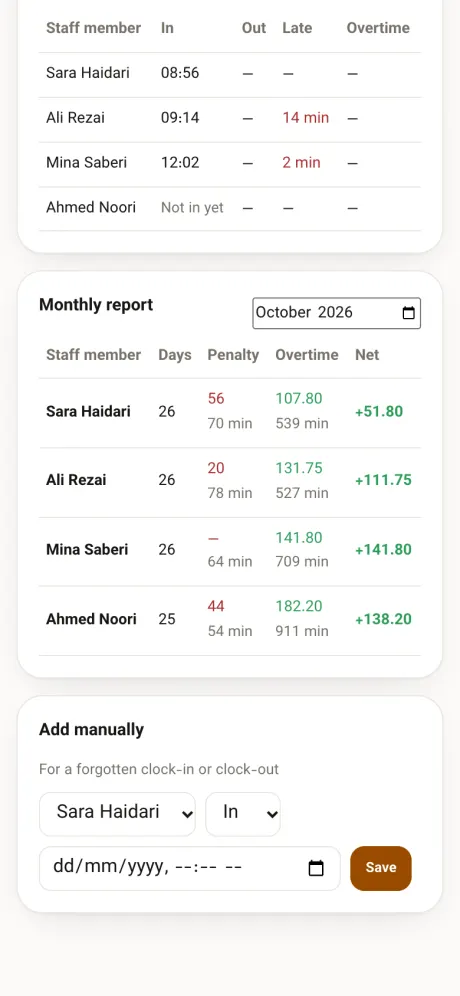
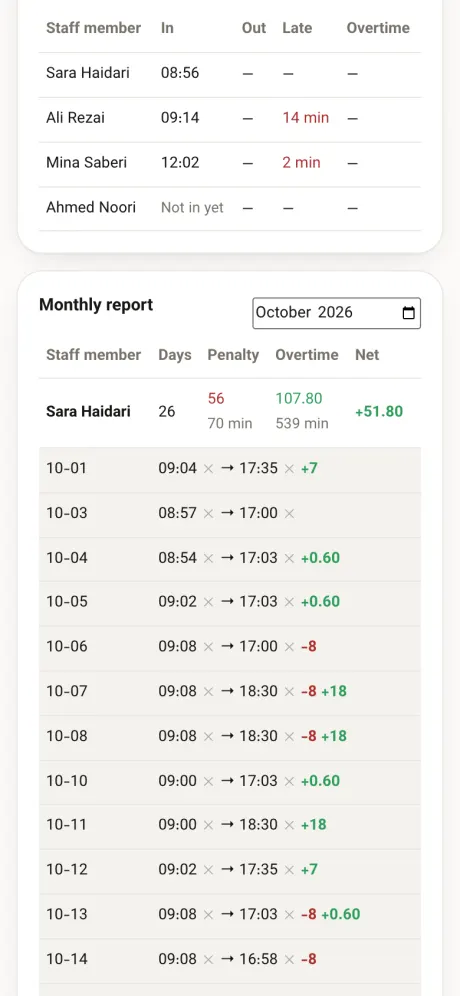
- Daily table Today or any other day with the arrows: who is in, late arrival, early leave and overtime.
- On time, in one tap For a clock-in or clock-out someone forgot, set separately for each.
- Edit any row Correct the in and out times. The report updates straight away.
- Monthly totals Days, penalties, overtime and the net amount in AED.
- Day-by-day detail One tap away, with missing clock-outs flagged.
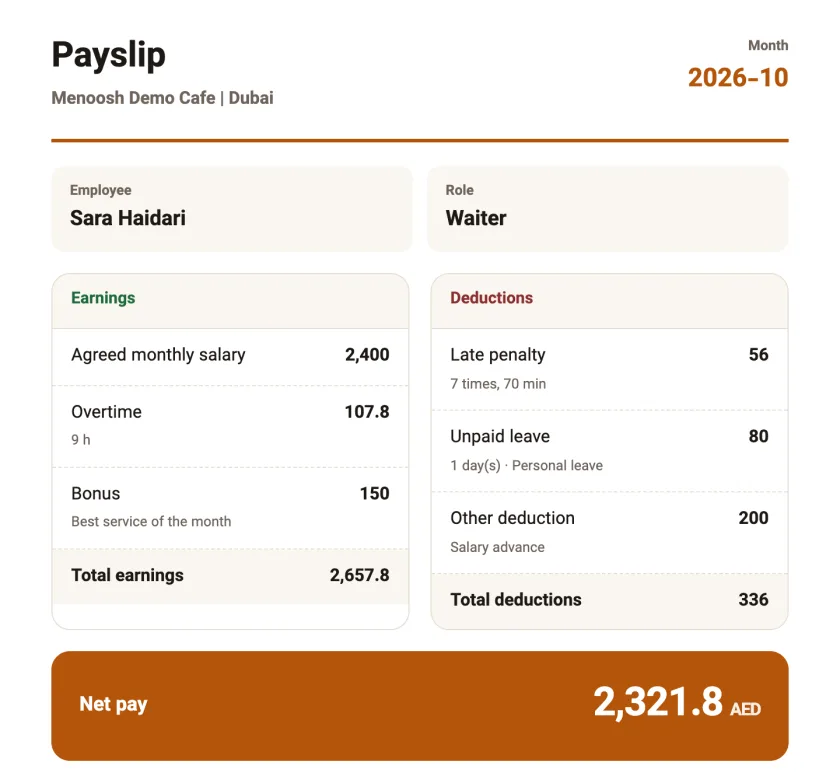
Payslips ready at month end.
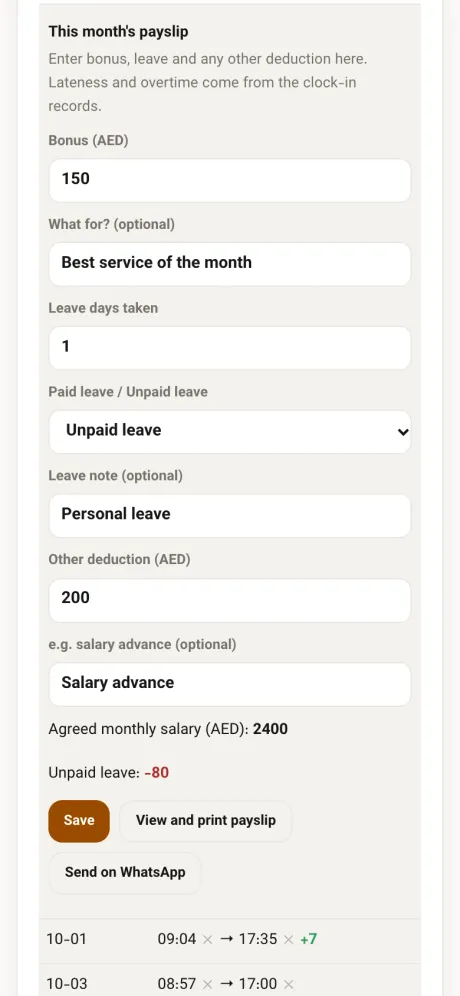
- Agreed salary Enter it once on the staff profile. Overtime and late penalties are calculated from the clock-in records.
- Bonus, leave, other deductions Add them each month with a short note. Unpaid leave takes one thirtieth of the salary per day; paid leave takes nothing.
- Net pay Everything in AED with a day-by-day table. Print it or save it as a PDF.
- Send on WhatsApp Goes to the employee's WhatsApp only when you tap send. Only owners and managers can open a payslip.
- Missed days Workdays with no punch are listed for information. They are not deducted automatically.
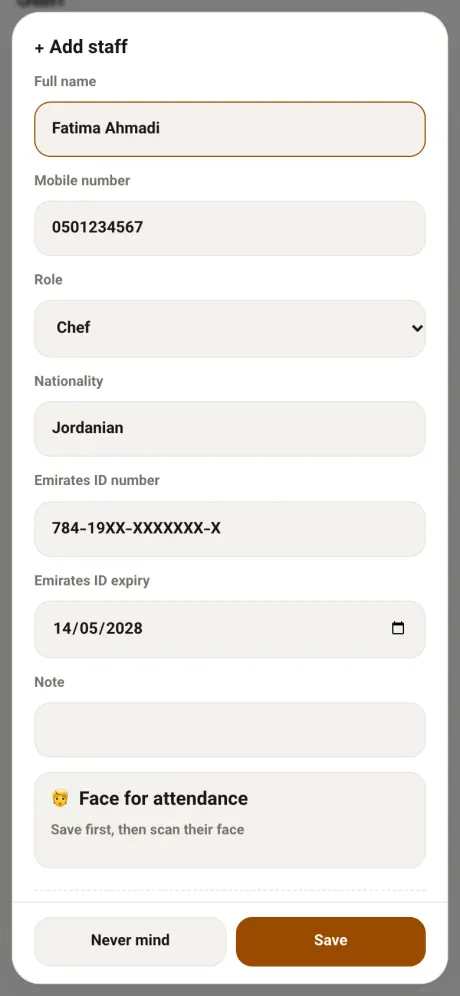
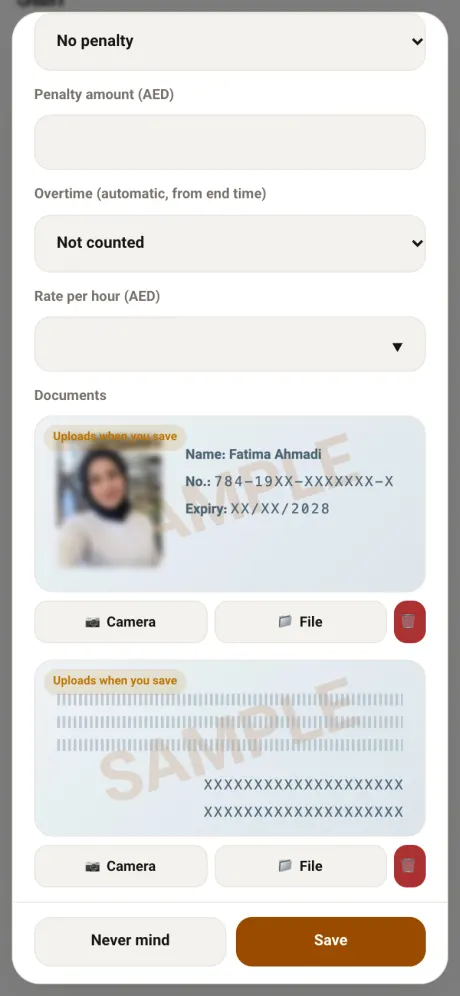
Add a staff member in under a minute.
Example: Fatima Ahmadi, chef. Only the name is required. Documents stay private to managers.
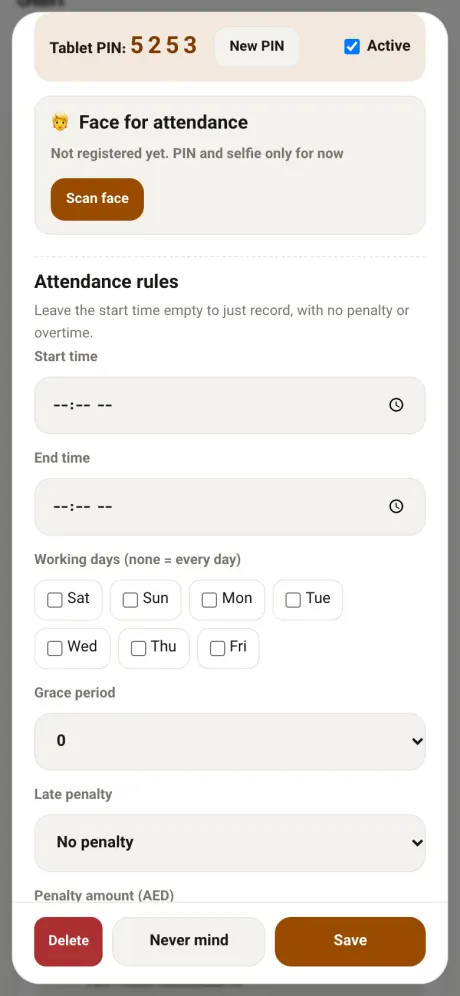
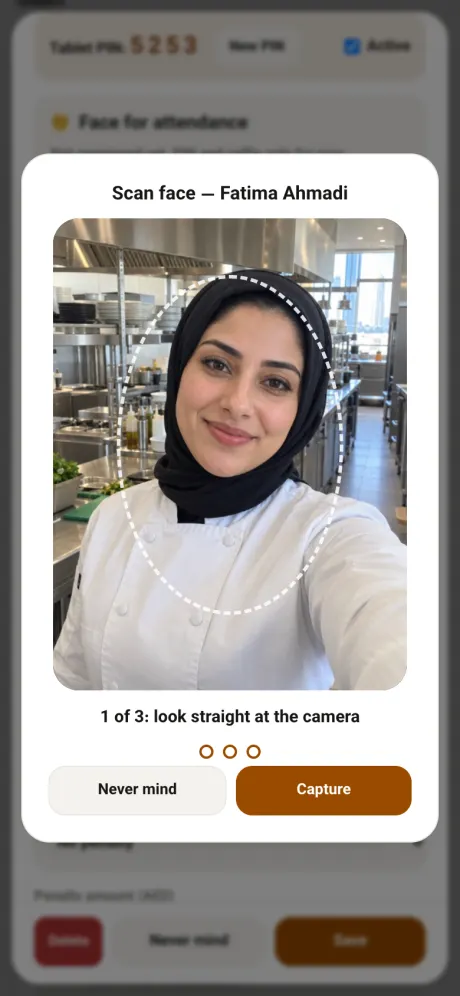
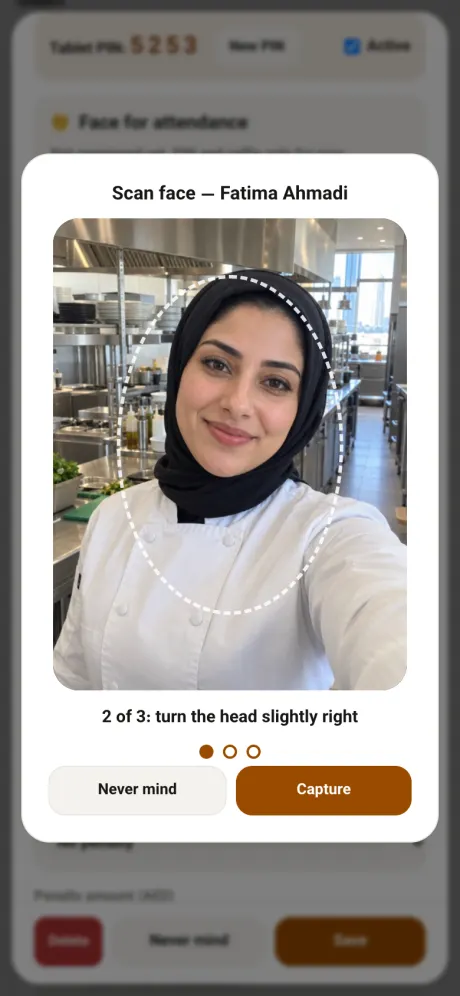
Scan the face once. That's it.
Open the same profile and tap Scan face. Three shots, three angles.
Same restaurant. No more paper.
With a sign-in sheet
- Staff write their own times
- Colleagues sign in for each other
- Lateness and overtime by hand
- ID copies in a drawer
With Menoosh
- Exact times from the tablet
- Every PIN matched to a face
- Penalties and overtime calculated
- Documents in each profile
Questions owners ask first
Do I need special hardware?
No. Any tablet or phone with a front camera and a browser will do. Open the tablet page from your Menoosh panel and switch it to full screen.
Does the tablet need internet?
Yes, so every record reaches your panel instantly. Face matching runs on the tablet itself and takes a few seconds to load the first time.
What if a face isn't recognised?
The tablet says so and the person tries again. If needed, a manager adds the clock-in or clock-out manually in the panel.
What about staff who haven't had their face scanned?
They clock in with their PIN and a selfie, as before. Once you scan their face, the tablet checks it from then on.
Can staff see each other's names or hours?
No. The tablet only shows a PIN pad. The list, the selfies and the reports live in the manager's panel.
Do night shifts past midnight work?
Yes. A clock-in and its clock-out count as one shift, even when they fall on different dates.
Does it produce payslips?
Yes. Enter each person's agreed monthly salary on their profile, then open the payslip from the monthly report. It lists salary, overtime, bonus, late penalties, leave and other deductions, and ends with the net amount to pay. Print it, save it as a PDF, or send it to the employee on WhatsApp with one tap. Only owners and managers can view payslips.
Someone forgot to clock out. Now what?
That day shows up in the daily table, and a manager sets the right time with On time or Edit.
What about staff on split shifts?
Set the first and second shift on their profile. Each shift has its own clock-in and clock-out, and the day counts both together: less follows your late rule, more is overtime.
Can waiters use the same PIN?
Yes. The same 4-digit attendance PIN signs waiters in to take orders on the floor tablet, and each order reaches the kitchen with the waiter's name.