From the table to the kitchen, without a paper pad.
Your waiters carry a tablet or a phone instead of a notepad. They pick the table, tap the dishes, and the order reaches the kitchen screen and the right printer at once, with the table number, the number of guests and the waiter's name. The kitchen marks it ready, the cashier sees the bill, and nobody has to read anyone's handwriting.
The whole floor at a glance
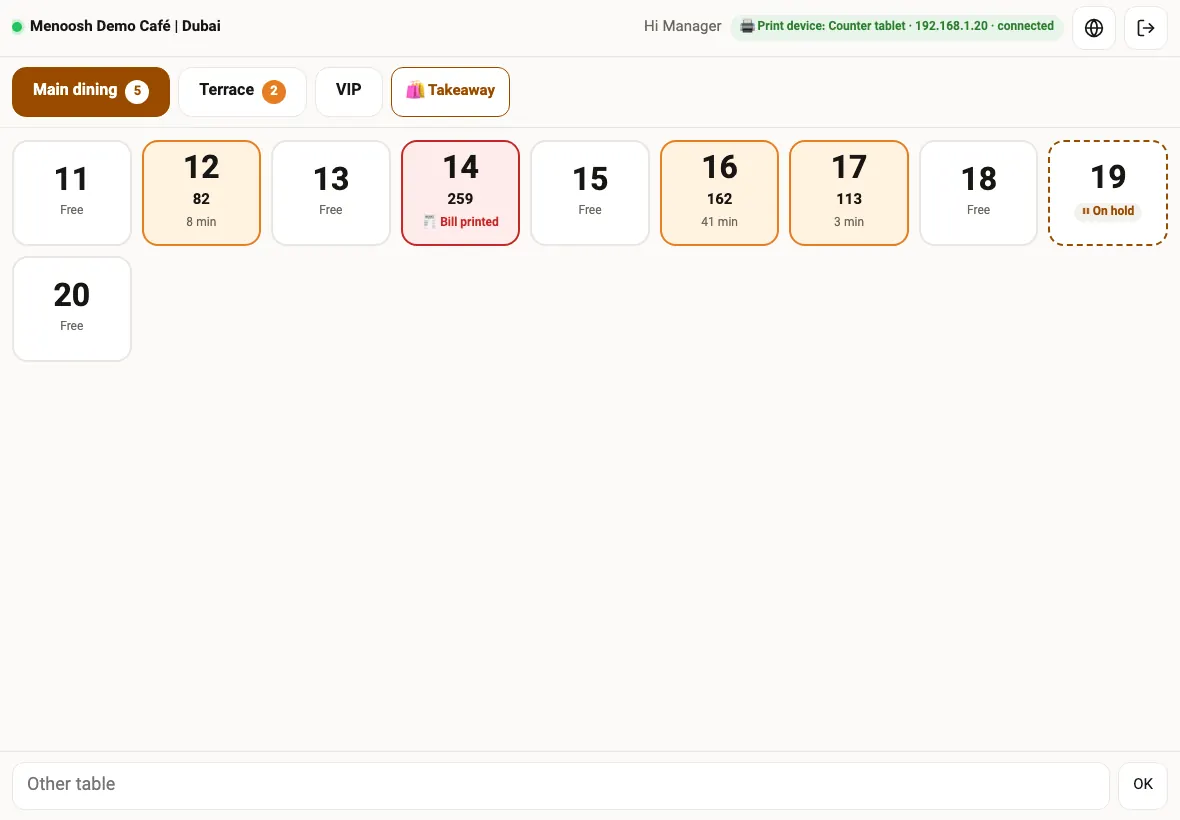
The waiter screen opens on your tables, grouped by area: main dining, terrace, VIP, upstairs or whatever your areas are. A free table is plain. A table with an order shows its running total and how many minutes ago it ordered. A table whose bill has been printed is marked, and a table with an order held on the tablet is outlined.
Each area tab shows how many tables in it are open, so the person running the floor sees where the work is. Takeaway has its own button, and a table that is not on the list can be typed in.
Waiter PIN
Each waiter signs in with the same 4-digit PIN they use for attendance.
Managers without a PIN
A manager who opens the screen from the panel is signed in already.
Areas and tables
Tables come from your table QR codes, with their area.
Printer status
The top bar shows whether the print device is connected.
Tap the dishes, choose the options, send
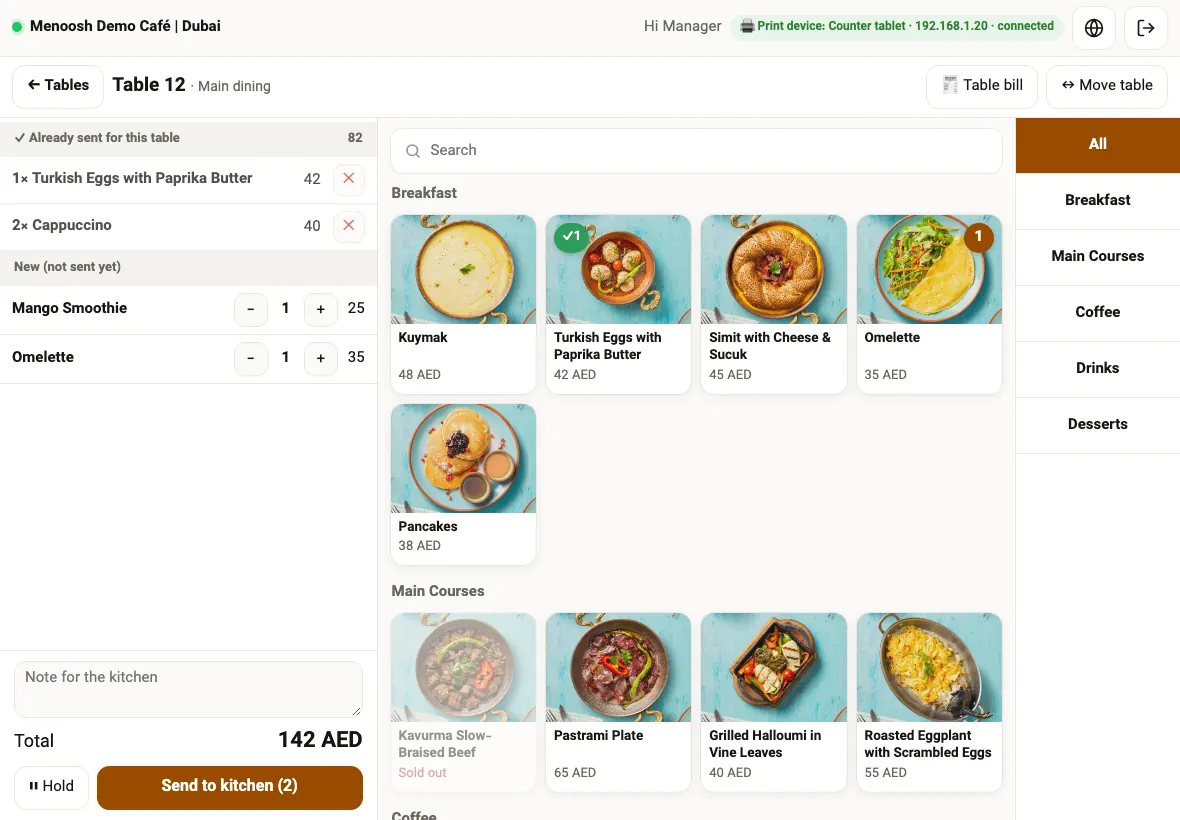
Tap a table and the menu opens next to the order, in the same order as your guest menu, with photos, sections and search. Sizes and add-ons are chosen on the dish, required choices are enforced, and a dish that is sold out cannot be added. Prices follow your happy hour if one is running.
Items already sent for that table are listed at the top, separately from the new ones, so a second round never repeats the first. Add the number of guests and a note for the kitchen, then Send to kitchen. Hold keeps an unfinished order on that tablet for later, for example while a guest is still deciding.
Table bill prints the bill for the table on the bill printer, and Move table moves an open table to another one; if the other table already has an open check, the two are merged.
Void an item after it was sent, with a reason
If an item was sent by mistake or the guest changed their mind, the waiter taps the cross next to it and chooses the quantity and a reason: entered by mistake, customer changed mind, out of stock, or other. A manager's PIN is required unless the person is a manager.
The table's total, the bill and the cashier are corrected by themselves, the void is kept on the order with who did it and who approved it, and if the kitchen ticket had already printed, a CANCEL slip for that item goes to the same printer.
A kitchen tablet that only shows what to cook
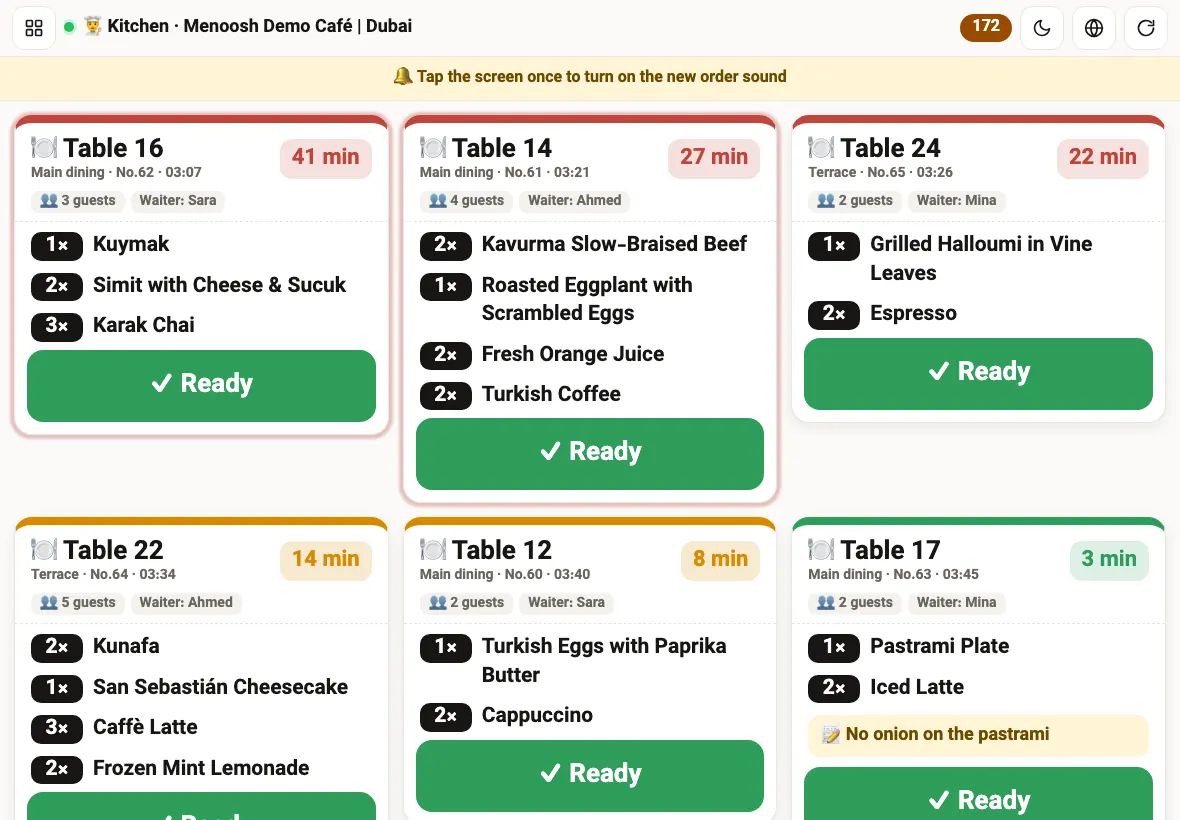
Put any tablet in the kitchen and connect it by scanning a QR code from the panel. It shows the queue and nothing else: no panel, no reports, no PIN, and it stays on. Each ticket has the table or takeaway, the area, the order number and time, the guests, the waiter, every dish with its quantity, and the guest's or waiter's note.
Tickets change colour as they wait, so the oldest stand out. When a dish is done the cook taps Ready: a table order is marked served, a takeaway guest is told the order is ready, and a delivery order waits for the courier in the panel. A ticket tapped by mistake can be brought back for five minutes.
Each section's tickets go to its own printer
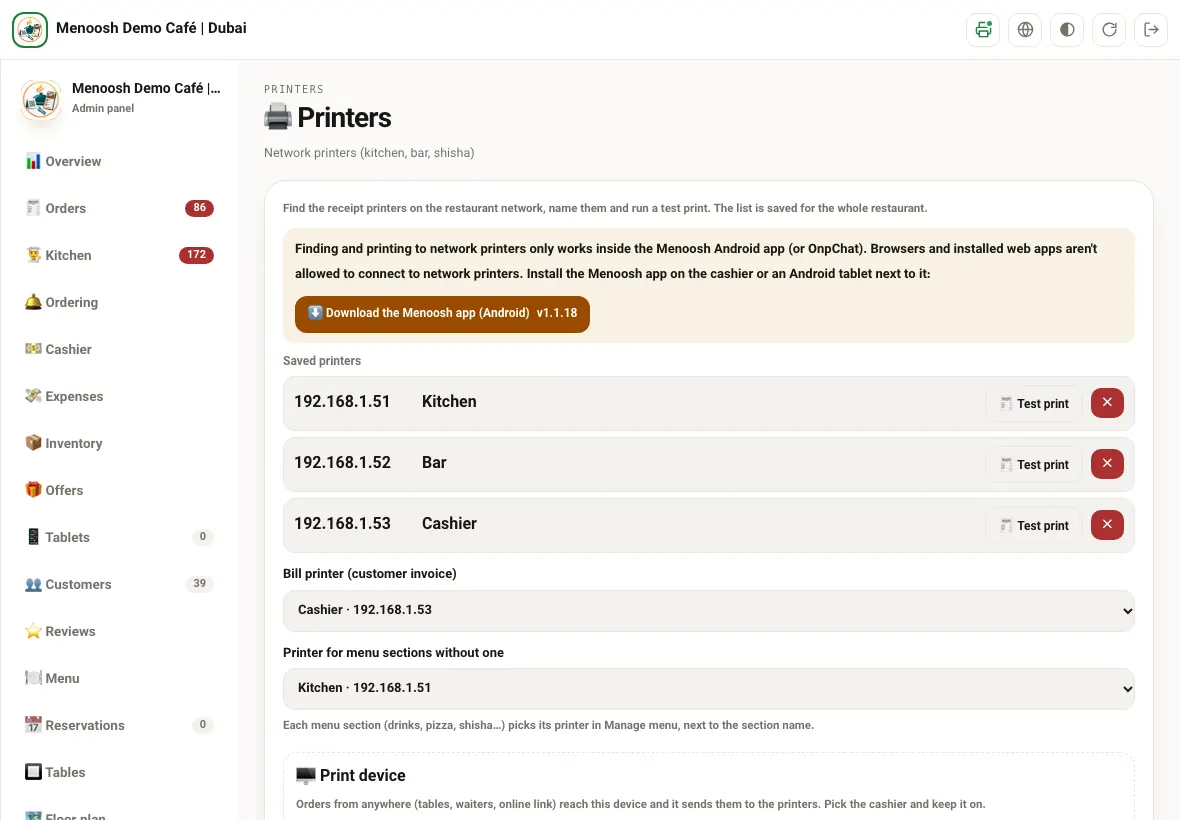
Restaurant receipt printers sit on your own Wi-Fi, so Menoosh prints through one device in the restaurant: the Menoosh Android app on the cashier or on an Android tablet next to it. It finds the printers on the network, you name them (kitchen, bar, shisha) and run a test print. A POS terminal with a built-in printer can be used too.
In Manage menu, each menu section chooses its printer once: breakfast and mains to the kitchen, coffee and drinks to the bar, desserts not printed. Every dish follows its section. Takeaway and delivery orders also print the guest's invoice on the bill printer; for tables, the bill prints when someone taps Table bill.
Tickets are printed in clear standard English for the kitchen, and a note written in Arabic or Persian is printed as it was written. A rejected order that had already printed sends a CANCEL slip.
Guests call a waiter from the table, with one tap
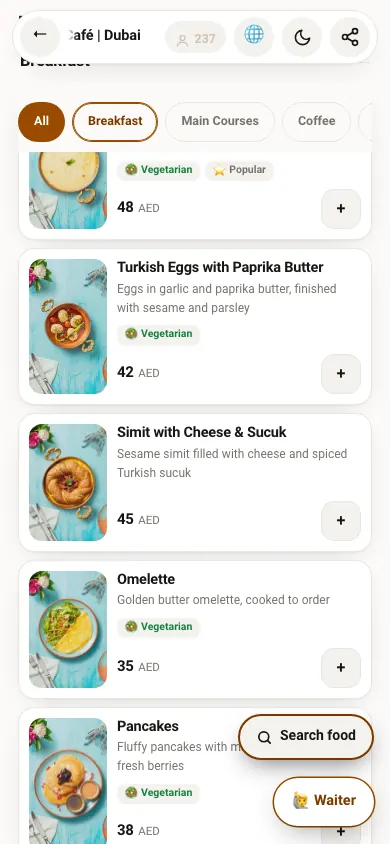
When a guest opens your menu from the QR code on a table, a Waiter button sits at the bottom of the menu. One tap sends the call with the table number, and it rings on your panel and on staff phones. When someone acknowledges it, the guest sees that a waiter is on the way.
No more waving across the room. You can switch the button off in the menu settings at any time.
Every new order on the head chef's phone
Some people need to see every order without having the panel: the head chef, the owner while travelling, the person running the evening shift. Add up to ten phone numbers and each new order reaches them on OnpChat the moment it arrives. They see the order, not your settings or reports.
Each tablet does one job, without anyone's password
Connect with a QR code
Scan a code from the panel and the tablet becomes the waiter, kitchen or attendance tablet. No manager account is left on it.
Disconnect any time
The panel lists every connected tablet; one tap disconnects it.
Only its own screen
A waiter tablet cannot open the panel, reports or settings.
Install like an app
The waiter screen can be added to the tablet's home screen and opens full screen.
Three languages
English, Arabic and Persian, chosen on each tablet.
One flow
Waiter orders, QR orders and WhatsApp orders reach the same panel, kitchen and cashier.
What changes on the floor
Without Menoosh
- Orders on a notepad, walked to the kitchen
- Handwriting the kitchen cannot read
- Drinks and food on the same ticket
- Items cancelled with no trace
- Guests waving to get attention
With Menoosh
- The order reaches the kitchen the moment it is sent
- Printed tickets and a kitchen screen
- Each section prints at its own station
- Voids need a reason and a manager's PIN
- A Waiter button on the table menu
What owners ask about waiter ordering
Do waiters need their own phones?
No. Any tablet or phone works. Most restaurants keep one or two shared tablets on the floor; each waiter signs in with their own PIN, so every order carries their name.
Which printers work?
Network receipt printers on your restaurant's Wi-Fi, 58 or 80 mm. Printing runs through the Menoosh Android app on the cashier or an Android tablet, which finds the printers on the network.
Can the kitchen use a screen instead of paper?
Yes. Connect any tablet as the kitchen screen with a QR code. You can use the screen, the printer, or both.
What if a waiter sends something by mistake?
They void the item with a reason. Unless they are a manager, a manager's PIN is needed. The bill is corrected and a CANCEL slip goes to the kitchen printer if the ticket was already printed.
Does it work with orders from the QR menu?
Yes. Orders guests place from the table QR menu, waiter orders and WhatsApp orders all reach the same panel, kitchen screen and printers.
Do waiters see sales or reports?
No. The waiter screen only takes orders. Reports, the cashier and settings stay in the panel for managers.